Why My Videos Looked “Cheap” Even When Content Was Good
I share my real experience adding professional text and captions to videos, including tools, mistakes, and step by step tips that worked.
Main Highlights Regarding Adding Text and Captions to Videos Professionally
Why badly placed text almost ruined my early videos
The exact tools I used to add captions and on screen text
Step by step workflow I follow for professional captions
Common caption mistakes I personally made and fixed
Real feedback from viewers and clients after improving captions
Practical checklist I use before exporting any video
Why My Videos Looked “Cheap” Even When Content Was Good
When I started creating tutorial videos, I thought adding text was easy. I assumed captions were just words on the screen. As long as the text was readable, everything would be fine.
I was wrong.
My early videos had captions that covered faces, fonts that looked childish, text that appeared too late, and subtitles that distracted instead of helping. Viewers didn’t complain directly but they left early. Some clients even asked me to “make the video look more professional,” without clearly explaining what felt off.
The turning point came when I watched my own video on a phone without sound. The captions were hard to follow, badly timed, and visually inconsistent. That’s when I realized text and captions are not decoration they’re part of storytelling.
This guide is based on actual projects where I fixed these issues and learned how to add text and captions properly, without overdoing it.
The Project That Forced Me to Take Captions Seriously
The project that changed everything was a social media tutorial video designed for silent viewing.
The client clearly said:
“Most people will watch this without sound. The captions must carry the message.”
That scared me a little because I had always treated captions as optional. I decided to slow down and approach captions like a real editing task, not an afterthought.
Tools I Personally Used
I’m listing only tools I’ve actually used in real projects.
Software
Adobe Premiere Pro for manual captions and text layers
CapCut (Desktop) for quick social captions
YouTube Studio for checking caption timing after upload
Fonts I Used Regularly
Sans serif fonts for readability
Clean, simple font styles
No decorative or script fonts
Video Types
Tutorials
Social media clips
Client training videos
Practical Reality Check Before Adding Text or Captions
Here’s a rule I learned the hard way:
If captions distract from the video, they are doing more harm than good.
Professional captions should support the message, not fight for attention.
Step by Step Guide: How I Add Text and Captions Professionally
Step 1: Watching the Video Without Sound
Before touching any text tools, I play the entire video muted.
· This helps me understand:
Where captions are necessary
Which words matter most
Where silence feels confusing
This single habit improved my captions more than any plugin.
Step 2: Deciding Between Captions and On Screen Text
Earlier, I mixed everything together.
Now I separate them clearly:
Captions: For spoken words
On screen text: For emphasis, steps, or titles
This keeps the video clean and readable.
Step 3: Writing Captions Like a Human Speaks
What I Got Wrong the First Time
I copied every spoken word exactly.
Result:
Long sentences
Hard to read captions
Viewers falling behind
How I Fixed It
Now I:
Shorten sentences
Remove filler words
Focus on meaning, not perfection
Captions should be easy to read at a glance.
Step 4: Timing Captions Properly (This Matters a Lot)
Poor timing makes even good captions useless.
My approach:
Captions appear slightly before the word is spoken
They disappear cleanly, not abruptly
No flashing text
I adjust timing manually instead of relying on auto settings.
Step 5: Choosing Fonts and Size Carefully
I used to experiment too much with fonts.
Now I follow simple rules:
One font style per video
Medium font size for mobile
High contrast with background
Consistency makes videos feel professional.
What Changed After Improving Captions
Before fixing captions:
Viewers skipped ahead
Social videos performed poorly
Clients asked for revisions
After fixing captions:
Better engagement on silent viewers
More watch time
· Fewer client changes
One client told me:
“The captions make the video easier to understand even without sound.”
That confirmed I was on the right track.
What I Got Wrong the First Time (Real Mistakes)
Mistake #1: Over Designing Text
Fancy animations distracted viewers.
Mistake #2: Captions Covering Important Visuals
Text blocked key screen content.
Mistake #3: Inconsistent Style
Different fonts and colors confused viewers.
Fix: I created a simple caption style and stuck to it.
Real Feedback After Fixing My Caption Workflow
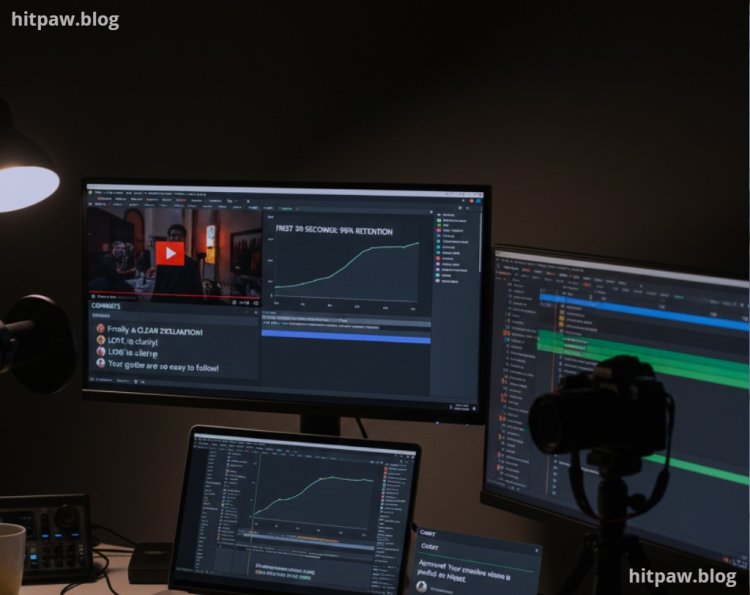
After applying these changes, I noticed:
More comments mentioning “clear explanation”
Fewer drop offs in first 30 seconds
Clients trusting my creative decisions
Good captions quietly improve everything.
Tips From My Experience
If captions need explaining, they’re already wrong.
Good captions should feel invisible but helpful.
Finally
Adding text and captions professionally is about restraint, clarity, and timing.
Once I stopped treating captions as decoration and started treating them as communication tools, my videos improved instantly. Not because they looked flashy but because they felt easier to watch.
If you’re struggling with captions:
Watch videos without sound
Keep text short
Focus on readability
Stay consistent
That’s how I stopped making my videos look amateur.
Common Questions I Get About Video Captions
Q1: Are captions really necessary?
Yes, especially for mobile and silent viewers.
Q2: Should I use auto captions?
Only as a starting point. Manual fixes are necessary.
Q3: What font works best for captions?
Clean, simple fonts with high contrast.
Q4: How many words should a caption have?
As few as possible while keeping meaning clear.
Q5: Do captions improve engagement?
Yes, especially on social platforms.
Q6: Should captions match speech exactly?
No. Meaning matters more than exact words.
What's Your Reaction?