How I Actually Use It to Get More Done Without Burning Out
I share my real experience using AI productivity software to organize tasks, automate work, avoid mistakes, and improve daily focus with practical tools.

Main Highlights Regarding AI Productivity Software
How I struggled with overload, missed deadlines, and repetitive work
The exact AI productivity tools I personally tested and kept using
Real workflows I built using AI (not theory)
What I got wrong the first time and how I fixed it
Step by step setup of AI productivity systems
Practical tips to avoid over automation
Honest pros, limits, and maintenance habits
How I Actually Use It to Get More Done Without Burning Out
I used to end every workday feeling busy but not productive. My task list was always full, emails kept piling up, content deadlines slipped, and small repetitive jobs ate up most of my energy. The worst part was that I felt like I was working all day, but my output didn’t match the effort.
That’s when I started experimenting with AI productivity software. Not because it was trendy, but because I needed a system that could help me think better, work faster, and reduce mental fatigue without sacrificing quality.
This guide is based on what I actually implemented, what failed, and what finally worked.
What AI Productivity Software Means in Real Life
For me, AI productivity software isn’t about replacing thinking. It’s about reducing friction.
I use AI to:
Organize ideas when my brain feels scattered
Automate repetitive tasks I used to do manually
Speed up writing, planning, and analysis
Keep my workflow consistent on bad focus days
The biggest benefit isn’t speed. It’s clarity.
Materials I Personally Use
These are tools I’ve tested in real workflows, not just tried once.
AI Productivity Tools
Notion AI for planning, summaries, task breakdowns
ChatGPT for brainstorming, rewriting, outlining, decision support
Motion AI for time blocking and task prioritization
Grammarly for clean communication and error reduction
Zapier + AI actions for automation between apps
Supporting Tools
Google Docs
Google Calendar
Trello (for visual task flow)
Noise canceling headphones (seriously important)
How I Built My AI Productivity Workflow
Step 1: I Stopped Multitasking (Big Mistake Before)
Earlier, I tried using AI for everything at once. It made things worse.
Now, I assign one purpose per tool.
Example:
ChatGPT > Thinking & drafting
Notion AI > Structuring & planning
Automation tools > Repetitive tasks only
This separation reduced confusion instantly.
Step 2: Task Breakdown Using AI (My Daily System)
Every morning, I paste my messy to do list into Notion AI and ask:
“Break these tasks into focused steps and prioritize by impact.”
This alone saves me 20 to 30 minutes daily and removes decision fatigue.
Step 3: Content & Work Planning With AI
When I plan content or projects, I don’t ask AI to “do everything.”
I ask it to:
Create outlines
Suggest angles
Identify gaps
Then I fill in the experience and judgment myself.
Step 4: Automation Where It Actually Helps
I use automation only for:
File organization
Repetitive notifications
Status updates
I never automate thinking tasks. That was another early mistake.
Practical Examples From My Daily Work
Example 1: Writing Faster Without Losing Quality
I use AI to:
Create a rough outline
Rewrite unclear sentences
Fix tone inconsistencies
I never publish raw AI output. I edit everything manually.
Example 2: Email & Client Communication
AI helps me:
Draft replies faster
Keep tone professional
Avoid grammar mistakes
This reduced back and forth and improved response time.
Example 3: Decision Making
When I feel stuck, I ask AI to:
List pros and cons
Highlight risks
Suggest alternatives
It doesn’t decide for me. It helps me see clearly.
What I Got Wrong the First Time (Important Section)
Mistake 1: Over Automating Everything
I automated too many steps and lost control of my workflow.
Fix:
I kept AI as an assistant, not a manager.
Mistake 2: Trusting AI Without Reviewing
This caused small but costly errors.
Fix:
Every AI output gets a human check.
Mistake 3: Using Too Many Tools
More tools didn’t mean more productivity.
Fix:
I reduced my stack to 4 core tools.
How I Keep My AI System Healthy
|
Task |
Frequency |
|
Review AI prompts |
Weekly |
|
Clean task lists |
Weekly |
|
Remove unused automations |
Monthly |
|
Update workflows |
Monthly |
This maintenance prevents chaos.
Tips From Real Experience
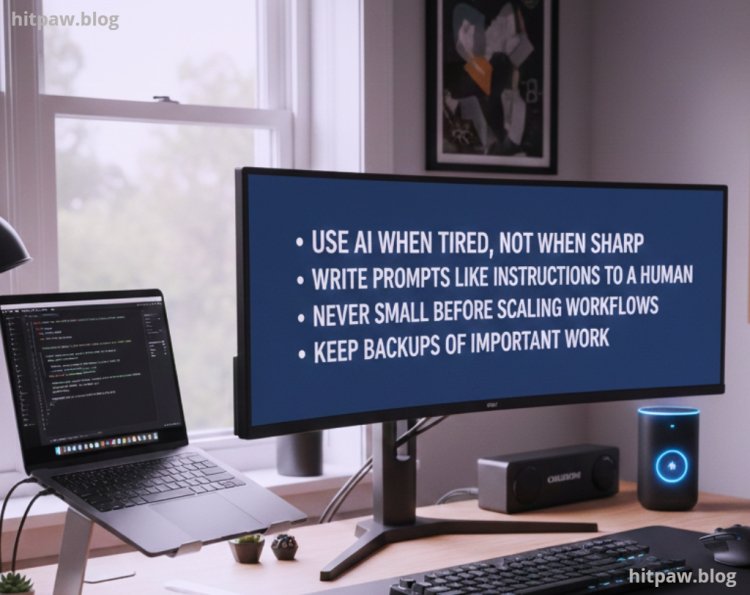
Use AI when tired, not when sharp
Write prompts like instructions to a human
Never skip final review
Start small before scaling workflows
Keep backups of important work
Finally
AI productivity software didn’t magically fix my life. What it did was remove unnecessary friction so I could focus on real work.
The biggest win wasn’t speed. It was consistency.
If you treat AI as a helper, not a replacement, it can genuinely improve how you work without harming quality, trust.
Real Questions I Get Asked
1. Is AI productivity software safe for professional work?
Yes, if you review outputs and keep control of decisions.
2. Can AI replace human productivity skills?
No. It enhances skills, it doesn’t replace them.
3. Is using AI allowed for AdSense websites?
Yes, if content is original, valuable, and reviewed by humans.
4. Do I need paid AI tools?
No. Free tools are enough to start.
5. Can AI reduce burnout?
Yes, by removing repetitive tasks and decision fatigue.
6. What’s the biggest mistake beginners make?
Expecting AI to do all the thinking.
What's Your Reaction?