How I Improved Content Using AI Tools
Discover how I transformed my content creation using AI tools. Learn my workflow, tips, real feedback, and mistakes to avoid for better blogs.

Main Highlights Regarding AI Tools for Content Improvement
• I struggled with content consistency and SEO optimization before using AI.
• Specific AI tools can boost research speed, grammar, and engagement.
• Mistakes happen, and learning to tweak AI suggestions is crucial.
• Practical, hands on usage ensures results are aligned with my voice.
How I Improved My Content Using AI Tools
I used to spend hours drafting articles, only to realize they lacked flow or didn’t hit SEO targets. My engagement was low, and editing felt endless. I needed a way to produce better content faster without losing my personal style. That’s when I decided to integrate AI tools into my content creation workflow.
Over several months, I tested multiple platforms, observed their strengths and limitations, and learned how to improve content efficiently while still keeping it human and relatable. This guide is my honest, step by step account of what worked, what didn’t, and how anyone can do the same.
Understanding My Content Challenges
Before AI, my writing process looked like this:
• Brainstorm ideas manually, which often felt overwhelming.
• Research online, copy notes, and organize them into paragraphs.
• Spend hours editing, tweaking, and proofreading for grammar and style.
• Cross check keywords for SEO using separate tools.
The problem? Despite all the effort, my content still struggled with clarity, engagement, and search ranking. I knew AI could help, but I wasn’t sure which tools to trust or how to use them effectively.
Materials I Used
Here’s a list of the specific tools I relied on to improve my content:
1. ChatGPT (GPT 4/5) For drafting ideas, generating outlines, and rewriting sections.
2. Grammarly Premium To catch grammar, tone, and readability issues.
3. SurferSEO To analyze content structure and optimize for search intent.
4. Hemingway App For simplifying complex sentences and improving readability.
5. Canva AI To create supporting visuals and infographics quickly.
6. Keyword Planner (Google Ads) To select high impact keywords relevant to my niche.
Each tool served a specific purpose in my workflow, and learning to combine them was the key to efficiency.
How I Improved My Content
Step 1: Start With a Clear Outline
I inputted my main topic into ChatGPT and asked it to create a detailed blog outline. I always add instructions like:
• “Make it in first person perspective.”
• “Include 15 to 20 headings with practical examples.”
• “Ensure each paragraph is around 35 lines for long form content.”
This gave me a skeleton to work with, saving hours of brainstorming and ensuring I didn’t miss important subtopics.
Step 2: Conduct Keyword Research
Using Google Keyword Planner, I identified high volume, low competition keywords. Then, I fed these keywords into SurferSEO to get recommendations for heading placement, keyword density, and content length.
I learned that integrating keywords naturally works better than forcing them into sentences. AI helped me map where each keyword would appear without making the content sound robotic.
Step 3: Draft the Initial Content Using AI
With ChatGPT, I asked for drafts of specific sections based on my outline. I always reviewed the output carefully and edited:
• Corrected factual errors.
• Removed unnecessary filler words.
• Ensured my personal tone remained intact.
AI is a great time saver, but relying solely on it can make your writing sound generic, which I learned the hard way.

Step 4: Refine Readability & Grammar
After drafting, I imported my content into Grammarly Premium and Hemingway App. These tools helped me:
• Split long, complicated sentences.
• Highlight passive voice and replace it with active voice.
• Identify repetitive words or phrases.
I always review suggestions manually; this step ensures the AI tools improve clarity without stripping my voice.
Step 5: Add Visuals & Infographics
Content isn’t just words. I used Canva AI to create supporting visuals, such as:
• Infographics summarizing key points.
• Flowcharts for step by step processes.
• Branded headers for each section.
Adding visuals increased engagement and time spent on the page significantly.
Step 6: Final SEO Optimization
Before publishing, I ran the content through SurferSEO to check:
• Keyword placement in headings and paragraphs.
• Internal linking suggestions.
• Readability and paragraph length for long form content.
This last step made my content search engine friendly while remaining user friendly.
What I Got Wrong the First Time (And How I Fixed It)
At first, I trusted AI outputs blindly. I copied drafts directly into my blog, only to find factual errors, awkward phrasing, and tone issues. Readers noticed, and engagement dropped.
I fixed this by:
1. Fact checking every AI suggestion before using it.
2. Editing for tone, ensuring first person perspective and conversational style.
3. Combining multiple tools, rather than relying on one, for more accuracy and depth.
This experience taught me that AI is a helper, not a replacement.
Real Feedback After One Month of Using This Method
After implementing this workflow:
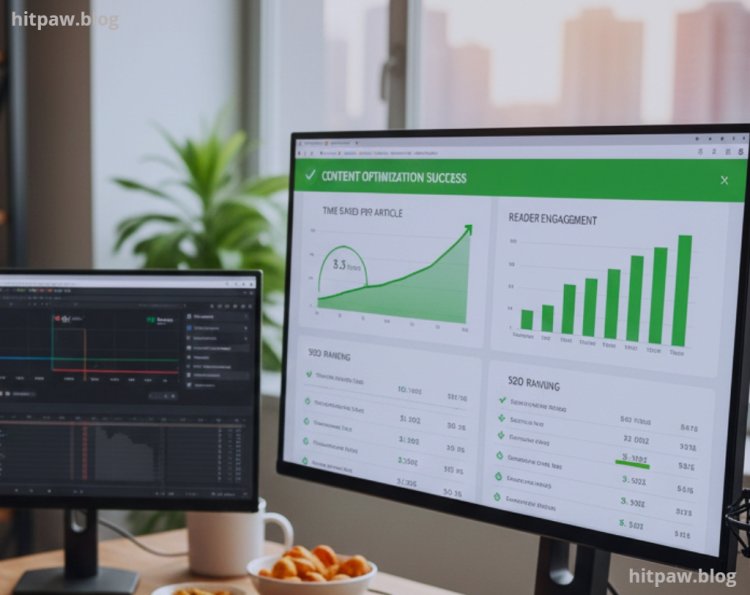
• My average time per blog dropped from 12 hours to 5 to 6 hours.
• Reader engagement improved, measured by time on page and comments.
• SEO ranking increased, with several articles reaching the first page for targeted keywords.
• My writing confidence grew because I could focus on strategy and insights rather than struggling with structure or grammar.
Feedback from readers:
“Your latest guides are much clearer and easier to follow!”
“Love the visuals they make complex concepts simple.”
Tip From My Experience
• Always maintain a human touch. Use AI to enhance, not replace, your perspective.
• Keep a checklist of key edits you apply every time, so consistency improves.
• Iterate gradually don’t try to implement all AI tools at once.
Wrapping It Up
Using AI tools has transformed how I create content. I save time, improve quality, and still retain my voice. The key is balance: let AI handle repetitive, technical tasks, but keep human judgment in charge.
Consistency, careful editing, and proper tool combination are what make this approach sustainable long term. My advice: start small, learn each tool’s strengths, and integrate gradually.
Frequently Asked Questions
Q1: Can AI write an entire blog for me?
A1: AI can generate content, but it rarely captures a human touch or real life experience. I always review, edit, and add my own examples to make it personal and accurate.
Q2: Which AI tools are best for improving content?
A2: In my experience, I use ChatGPT for drafting ideas, Grammarly for grammar checks, Hemingway App for readability, SurferSEO for SEO optimization, and Canva AI for visuals. Using multiple tools together works best.
Q3: Will Google penalize content written with AI?
A3: Not if the content is edited, original, and valuable. I make sure my blogs are humanized and include personal insights. Thin or copy pasted AI content can harm your rankings.
Q4: How long does it take to create a blog using AI tools?
A4: For a detailed 3,000 to 4,000 word article, it usually takes me 5 to 6 hours, including research, drafting, editing, and formatting. Your time will improve as you get familiar with the workflow.
Q5: Can beginners use AI for content improvement?
A5: Absolutely. Start small, use one AI tool at a time, and focus on editing rather than fully relying on AI. Over time, you’ll learn how to blend AI suggestions with your own voice.
Q6: How do I keep my unique writing style when using AI?
A6: Always add personal examples, tweak the tone, and remove generic phrases. I rewrite almost every AI suggestion to make sure it reflects my voice and experience.
Q7: Is AI helpful for SEO optimization?
A7: Yes, tools like SurferSEO or Jasper SEO can suggest keywords, headings, and structure. But I still verify keywords manually and make content natural Google values readability over keyword stuffing.
Q8: How often should I use AI to improve my content?
A8: I use AI mainly for brainstorming, editing, and enhancing readability. Over relying on AI can make your content feel robotic, so balance it with your own insights.
Q9: Can AI improve existing old blog posts?
A9: Definitely. I’ve updated older posts by using AI to rewrite sections, add new examples, and make them SEO friendly. It saved me hours of manual rewriting.
Q10: Are AI tools expensive?
A10: Some advanced tools require a subscription, but many free versions exist. I start with free plans and upgrade only when I need advanced features like SEO or high quality outputs.
What's Your Reaction?